
Why Is Your Google Business Profile Not Getting Calls? 7 Reasons
 Sachin Gupta7 Oct 2026
Your Google Business Profile may get views but no calls. Learn 7 common reasons your GBP isn't generating leads and what you can do about it.
Summarize this article with AIYour Google Business Profile can appear on Google Search and Google Maps, receive views, show your business information, and still bring you very few calls. This is a common problem for local businesses because being visible on Google and getting a customer to contact you are two different things.
You may be looking at your profile every week and thinking, “My business is showing on Google, so why isn't anyone calling?” The problem may not be your visibility at all. People may be finding your profile, but something about the search, the profile, the reviews, the information, the website, or the overall customer experience may be stopping them from taking the next step.
Google explains that local search results are mainly influenced by relevance, distance, and prominence. Google also recommends keeping business information complete and accurate, responding to reviews, and adding useful photos and videos.
But there is another part of local SEO that businesses often overlook: what happens after someone finds you?
Getting discovered is only the first step. The next step is convincing the right person that your business is relevant, trustworthy, and worth contacting.
So, if your Google Business Profile is getting views but not calls, the answer may be hiding in one of these seven problems.
First, Check Whether You Have a Visibility Problem or a Conversion Problem
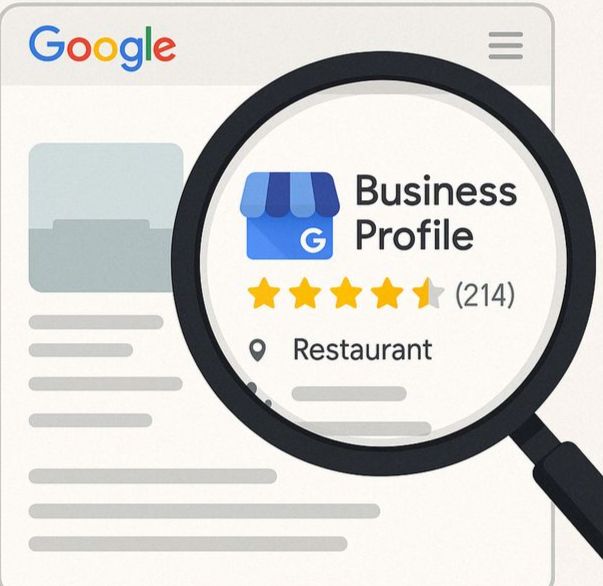
Before changing your Google Business Profile, first understand what is actually happening.
Google Business Profile Performance gives verified profile owners information about how people discover and interact with their business on Search and Maps. Depending on the profile, you can see information such as searches, views, calls, website clicks, directions, messages, bookings, and other available interactions. The Searches metric can also show the terms people used to find your profile.
This information is important because a business can have two completely different problems.
Situation 1: Very few people are finding your profile
If almost nobody is discovering your Business Profile, you may have a visibility problem.
For example, your business may not be appearing often enough for relevant local searches. Your business category may not clearly represent what you do, your business information may be incomplete, your local relevance may be weak, or your website and other online information may not clearly support what your business offers.
Google says that complete and accurate Business Profile information can help businesses appear in relevant local searches. It also explains that local ranking is mainly based on relevance, distance, and prominence.
In this situation, simply changing your phone number, uploading more photos, or posting more updates is unlikely to solve the whole problem. You first need to understand why Google is not showing the business for enough relevant searches.
Situation 2: People are finding your profile but not calling
This is a different problem.
If your profile is already getting a reasonable number of relevant views, but very few people are clicking the call button, visiting your website, asking for directions, or taking another meaningful action, you may have a conversion problem.
People may be seeing your business but not feeling confident enough to contact you. They may not understand exactly what you offer. Your reviews may not answer the questions they have. Your photos may not tell them anything useful. Your website may create doubt. Or your profile may be appearing for searches that don't have strong buying intent.
That is why looking only at rankings or profile views can be misleading.
Visibility tells you that people can find you. Conversion tells you whether they have a reason to act.
7 Reasons Your Google Business Profile May Not Be Getting Calls
1. Your Profile Is Showing for the Wrong Searches
One of the easiest mistakes to miss is assuming that every profile view is valuable. It isn't.
A business can receive plenty of visibility and still struggle to generate leads if the people finding it aren't actually looking for the service it provides.
Imagine that you run a digital marketing agency. Your profile could potentially appear for searches related to digital marketing, SEO, social media, websites, advertising, branding, and many other topics. But the person searching for “what is SEO?” is in a very different stage from someone searching for “SEO agency near me.”
Both searches are related to SEO, but their intentions are completely different.
The first person may simply be learning. They may be a student, a business owner doing research, or someone who isn't ready to hire anyone. The second person is much closer to taking action because they are actively looking for a service provider.
This is why a profile with thousands of views can sometimes generate fewer calls than a profile with fewer but more relevant views.
Google's Business Profile Performance reporting includes a Searches metric that shows the search terms people used to find the profile. Google notes that these queries are generated when the Business Profile appears for a particular search and cannot be directly managed by the business.
So instead of asking only, “How many people viewed my profile?”, ask:
“What were those people actually searching for?”
If the searches are closely connected to your products or services, your visibility may be attracting the right audience. If the searches are broad, unrelated, or mostly informational, the problem may be relevance and intent rather than the number of profile views.
You should also look at whether your business category, services, website content, and Business Profile information clearly explain what your business does. Google says relevance is how well a Business Profile matches what someone is searching for, and complete, detailed business information helps Google understand that connection.
The goal isn't to make your profile appear for every possible search. The goal is to make it easier for the right customer to find you.
2. Your Business Category Doesn't Clearly Represent What You Do
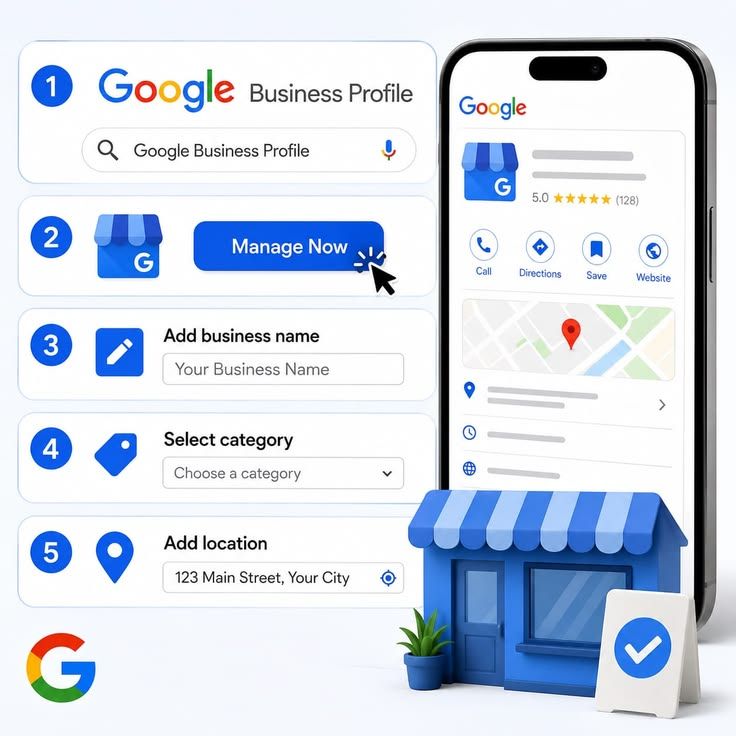
Your primary business category may look like a small setting inside your Google Business Profile, but it helps Google understand what kind of business you are.
When a customer searches for a local service, Google needs to decide which businesses are relevant to that search. Your business category is one part of the information that helps describe your business.
Google recommends providing complete and accurate information, including what kind of business you are and other relevant details.
The problem starts when businesses choose a category because it sounds popular rather than because it accurately describes their main business.
For example, imagine a company that provides SEO and digital marketing services but selects a very broad category that doesn't clearly represent its main offering. The profile may still exist and may still receive some visibility, but Google has less precise information about where that business fits.
The same problem can happen when your category is technically correct but the rest of your profile doesn't support it.
Your category, services, business description, website, and other business information should tell a reasonably consistent story.
If your profile says one thing, your website focuses on something completely different, and your services list is unclear, the customer may also become confused.
What should you review?
Look at your:
- Primary business category
- Additional relevant categories
- Business description
- Services
- Business information
- Website content
The important word here is relevant.
Don't add unrelated categories simply because you want to appear for more searches. Local SEO isn't about telling Google that you do everything. It's about making it clear what your business actually does and who it is relevant to.
3. Your Profile Doesn't Give People Enough Reason to Choose You
Let's say a customer searches for “SEO agency near me.”
They see several businesses.
Most of them have:
- A phone number
- A website
- Reviews
- Service information
- A similar star rating
Now the customer has to make a decision.
Why should they call your business instead of the next one?
This is where many Business Profiles become almost identical.
A profile can be completely filled out and still fail to communicate a clear reason for choosing the business.
Think about what a potential customer wants to know before making contact. They may want to understand what you specialize in, whether you serve businesses like theirs, what area you cover, what kind of work you do, and whether other customers have had a good experience.
If your profile doesn't help answer those questions, the customer may simply move on to another business.
You don't need to turn your Business Profile into a long sales pitch. In fact, overly promotional language can make it harder to understand what the business actually does.
Instead, make the information useful and specific.
For example, rather than using a vague statement such as:
“We provide innovative solutions for modern businesses.”
Explain what the business actually provides and who it serves.
Clear information reduces uncertainty.
And reducing uncertainty is important because a customer who is about to call a business is usually asking themselves a simple question:
“Can this business actually help me?”
Your profile should make that answer easier to find.
4. Your Reviews Aren't Building Enough Trust
Reviews are another important part of the decision-making process.
Imagine two businesses appearing for the same local search. One has a collection of recent reviews that explain what customers liked about the service. The other has only a few old reviews, or reviews that provide almost no useful information.
Even if both businesses have similar ratings, the first profile may give the customer more confidence.
Google says that prominence is one of the factors used in local results and that information such as reviews and links to a business can contribute to how well-known that business appears to be. Google also says that more reviews and positive ratings can help local ranking.
But reviews are not only about ranking.
They are also about customer confidence.
A customer may look through reviews to find evidence that the business has solved a problem similar to theirs.
For example, someone looking for a website development company may feel more comfortable when reviews talk about communication, project delivery, website quality, support, or the overall experience.
A review that simply says:
“Excellent service.”
is positive, but it doesn't tell a potential customer much.
This doesn't mean you should tell customers what to write. You should never create fake reviews or manufacture customer experiences.
Instead, ask genuine customers for honest feedback after a real interaction. When customers naturally explain what they liked, those details can make reviews much more useful to future customers.
You should also respond to reviews professionally. Google recommends responding to reviews because it shows customers that you value their feedback, and helpful replies can help the business stand out.
5. Your Photos Don't Help Customers Understand the Business
Photos are sometimes treated as something businesses upload once and then forget about.
But a customer can use those photos to decide whether a business looks genuine, active, professional, and relevant to what they need.
Google recommends adding photos and videos because they can help customers understand what a business offers and learn more about the business.
Think about what a potential customer wants to see.
If you run a restaurant, they may want to see the food, dining area, entrance, atmosphere, and other parts of the experience.
If you run a salon, they may want to see the space, work, staff, and overall environment.
If you provide professional services, you may not have a shop full of products to photograph. In that case, useful visuals could include your team, workspace, completed projects, work samples, or other real aspects of the business.
The purpose isn't to upload hundreds of random pictures.
The purpose is to help a customer answer:
“What will I get if I contact this business?”
Poor-quality, outdated, unrelated, or repetitive images don't give customers much useful information.
Real and relevant visuals are usually much more helpful.
6. Your Profile Gets Views, but Your Offer Is Unclear
This is one of the biggest differences between being visible and being convincing.
Someone can find your Business Profile and still not understand exactly what they should contact you for.
For example, a profile might describe a business using phrases like:
“Helping businesses grow through innovative digital solutions.”
It sounds professional, but it doesn't tell a potential customer enough.
What does the business actually do?
Does it provide SEO?
Website development?
Google Ads?
Social media marketing?
Branding?
Something else?
Now imagine that the same business clearly explains its main services and the type of customers it works with. The customer doesn't have to spend as much time figuring things out.
This is particularly important for service businesses because customers often compare several providers before making contact.
Your profile should make important information easy to understand.
A potential customer should be able to work out:
- What you do
- Who you help
- Where you operate
- What services you offer
- How they can contact you
The more unnecessary uncertainty you remove, the easier it becomes for a genuinely interested customer to take the next step.
This doesn't mean stuffing keywords into your profile.
It means communicating your business clearly.
7. Your Website Is Losing the Customer After Google Sends Them There
Sometimes the Business Profile isn't the problem.
The customer finds your business, becomes interested enough to click the website, and then the website loses them.
Google Business Profile Performance separates actions such as calls and website clicks, which can help you understand what people do after finding your profile.
Imagine this customer journey:
Google Search → Business Profile → Website → Contact
If people are clicking your website but not enquiring, the problem may be further down the journey.
For example, the website may be difficult to use on a phone. The service may not be clearly explained. The contact button may be difficult to find. The page may load poorly. The visitor may not see reviews, case studies, examples, or other information that helps them trust the business.
There may also be too much information and no clear next step.
Google's page-experience guidance encourages businesses to look at the overall experience of their pages, including mobile usability, security, Core Web Vitals, and avoiding intrusive elements. At the same time, Google makes clear that a perfect page-experience score by itself does not guarantee better rankings.
So don't think about the website only as an SEO asset.
Think about it as the place where a potential customer makes a decision.
If someone has already found you through Google and then visits your website, the website should help them move forward rather than make them start searching again.
How to Find Out Why Your Google Business Profile Isn't Getting Calls
Instead of changing everything at the same time, diagnose the problem step by step.
Step 1: Check Your Profile Searches
Start by understanding how people are discovering your profile.
Google Business Profile Performance provides information about searches used to find the profile.
Look at the terms and ask whether they match your actual products or services.
If a large amount of discovery is coming from searches that don't have much connection with what you sell, you may need to investigate relevance.
This is more useful than simply looking at the total number of profile views because 10 highly relevant visitors can be more valuable than 1,000 irrelevant ones.
Step 2: Compare Views With Calls
Next, compare profile visibility with actual actions.
Google provides metrics such as views, calls, website clicks, directions, messages, and bookings where applicable.
If you have a lot of profile views but very few calls, don't immediately conclude that you need more views.
First ask why the existing visitors aren't taking action.
Perhaps the profile information is unclear.
Perhaps the reviews aren't strong enough.
Perhaps the searches aren't relevant.
Perhaps the website isn't convincing.
The numbers won't automatically tell you the answer, but they can tell you where to start looking.
Step 3: Look at Your Business Information
Review every important piece of information on the profile.
Check whether your business name, category, phone number, hours, website, address or service-area information, and other relevant details are accurate.
Google specifically recommends keeping Business Profile information complete and accurate because this helps customers understand what the business does and can help the profile appear for relevant local searches.
An incorrect phone number can obviously cost you calls.
Incorrect opening hours can create a poor customer experience.
An unclear category can make it harder to communicate what the business is.
Small information problems can therefore have a much larger effect than they appear to have.
Step 4: Review Your Profile Like a Customer
This step is simple but often skipped.
Open your Business Profile and pretend that you've never heard of your company.
Don't look at it as the owner.
Look at it as a potential customer.
Ask yourself:
“Would I trust this business enough to contact it?”
Then look at the reviews, photos, services, website, business information, and overall presentation.
Ask whether you can understand the business quickly.
Ask whether anything important is missing.
Ask whether the profile looks active and trustworthy.
You may notice problems that are difficult to see when you're looking at the profile every day.
How to Get More Calls From Your Google Business Profile
There isn't one setting that suddenly makes a Business Profile generate calls.
The better approach is to improve the entire customer journey.
Start with relevance. Make sure Google and potential customers can clearly understand what your business does, who it serves, and where it operates. Google recommends complete and accurate business information because it helps Google match businesses with relevant local searches.
Then work on trust. Genuine reviews, useful photos, clear service information, and professional responses to customer feedback can help people feel more comfortable choosing your business.
After that, look at the conversion path. Your phone number should be correct, your website should work properly on mobile devices, and customers should not have to search through several pages to figure out how to contact you.
Most importantly, measure what happens.
If you are improving your profile but aren't tracking calls, website clicks, and other useful actions, you won't know whether the changes are actually helping.
Google now supports linking Business Profile data with Google Analytics so businesses can view profile interactions alongside website and app data, giving a broader view of the customer journey from local discovery to online conversion.
Google Business Profile Views vs Calls: What Should You Measure?
A business might say:
“Our Google Business Profile received 5,000 views this month.”
That sounds impressive.
But the more important question is:
What happened after those views?
Did people call?
Did they visit the website?
Did they request directions?
Did they send a message?
Did they book?
Google's available Business Profile Performance metrics can include searches, views, calls, website clicks, directions, messages and bookings, depending on the business and available features.
The most important metric depends on your business model.
A local service company may care heavily about phone calls.
A restaurant may care about directions and bookings.
A business that sells products online may care more about website visits and conversions.
So don't judge your Business Profile only by how many people saw it.
The real question is whether the profile is helping the right people take a useful next step.
Can Google Business Profile Help Generate Leads?
Yes, but it should not be treated as a standalone marketing channel.
Your Business Profile is one part of a larger local customer journey.
Google says that information shown in Business Profiles and local search results can come from multiple sources, including information provided by the business, publicly available web content, third-party data, and contributions from users.
This means your online local presence is bigger than the profile itself.
Your website, reviews, business information, local presence, customer feedback, and overall online reputation can all influence how people understand your business.
For example, a customer may first discover your business on Google Maps, read your reviews, click your website, look at your services, and then decide to call.
The Business Profile may have started the journey, but it wasn't responsible for the entire decision.
That's why local SEO should be treated as part of a broader customer journey rather than a single profile optimisation task.
What If Your Google Business Profile Gets No Views at All?
That's a different problem.
If your profile is receiving very little visibility, don't immediately focus on getting more calls.
First investigate why the profile isn't being discovered.
Make sure it is verified, your business information is complete, your category is accurate, and your profile genuinely represents the service or product you provide.
Then look at the wider local presence of the business.
Google explains that complete and accurate information can improve the chances of appearing in relevant local results, while local visibility is influenced mainly by relevance, distance, and prominence.
The location of your business also matters.
A business cannot simply choose to rank equally well in every location. Google says distance refers to how far a business is from the person searching, based on the information available about the searcher's location.
So if you are not visible, first understand whether you have a relevance, location, or prominence problem before trying random optimisation tactics.
What If You Have Plenty of Views but Still No Leads?
This is where businesses often make the wrong decision.
They see low leads and think:
“We need more visibility.”
But what if the profile is already being seen by enough relevant people?
If thousands of people are finding your profile but very few are calling or visiting your website, getting even more people to see the same profile may not solve the underlying problem.
You need to investigate the conversion journey.
Are the searches relevant?
Does your profile clearly communicate your service?
Do the reviews build confidence?
Do the photos help?
Is the business information complete?
Does the website work properly?
Is there an obvious next step?
Are calls and website actions being measured?
This is the difference between getting more traffic and getting more value from the traffic you already have.
Sometimes the better strategy isn't to increase visibility immediately.
Sometimes it is to improve what happens after visibility.
A Simple Google Business Profile Audit Checklist
Before investing more money into local marketing, take a few minutes to review your profile from a customer's perspective.
Profile
- Is the profile verified?
- Is the business information accurate?
- Is the primary category relevant?
- Are your services clearly represented?
- Are your opening hours correct?
- Does the phone number work?
- Does the website link work?
Trust
- Are your reviews genuine and recent?
- Are you responding to customer reviews?
- Do your reviews provide useful information?
- Do your photos show the real business?
- Is your service information clear?
Conversion
- Is it easy to contact you?
- Does the website work well on mobile?
- Does the website explain your service clearly?
- Is the next step obvious?
- Does the website provide enough trust before asking for an enquiry?
- Is the contact process simple?
Measurement
- Are you checking profile searches?
- Are you checking profile views?
- Are you checking calls?
- Are you checking website clicks?
- Are you monitoring other relevant actions?
The purpose of this checklist isn't to give you another long SEO to-do list.
It is to help you identify where the actual problem is.
Frequently Asked Questions
Why is my Google Business Profile not getting calls?
There can be several reasons. Your profile may not be appearing for enough relevant searches, or people may be finding it but not feeling confident enough to contact you. Weak service information, poor reviews, unclear positioning, outdated photos, an ineffective website, or a difficult contact process can all contribute. The first step is to compare your profile's searches, views, calls, and website clicks so you can understand whether the main issue is visibility or conversion.
Why does my Google Business Profile get views but no calls?
A profile view doesn't mean that a person is ready to become a customer. People may be researching, comparing businesses, or finding your profile for a search that isn't strongly related to your service. If your views are high but calls are low, look at the searches bringing people to the profile, your reviews, your service information, your photos, your website, and the ease of contacting you.
How can I get more calls from Google Business Profile?
Start by making your profile accurate, complete, and relevant to your actual business. Then focus on genuine customer reviews, useful photos, clear service information, and a simple contact journey. If people visit your website from the profile, make sure the website clearly explains what you offer and makes contacting you easy. Google recommends complete business information, review responses, and useful photos and videos as part of maintaining a strong Business Profile.
Does Google Business Profile ranking guarantee leads?
No. Ranking higher can improve visibility, but visibility and leads are not the same thing. Google says local ranking is influenced by relevance, distance, and prominence, but once a customer sees a business, they still need to decide whether that business is relevant and trustworthy enough to contact.
How do I know if my Google Business Profile is performing well?
Don't judge it only by where you appear in Google Maps. Look at the available Performance metrics, including searches, views, calls, website clicks, directions, messages, and bookings. Which metric matters most depends on your business. Google provides these measurements to help businesses understand how customers discover and interact with their profiles.
Does having more Google reviews guarantee better rankings?
No. Google says reviews and positive ratings can contribute to prominence, but they are only part of local ranking. Relevance and distance also matter, and Google does not guarantee a particular ranking position simply because a business has more reviews.
Should I focus on Google Maps ranking or getting more leads?
First find out what is actually wrong. If very few relevant people are finding your business, local visibility may need attention. If many relevant people are already finding the profile but very few are calling or visiting the website, improving the conversion journey may be more useful. A good local SEO strategy should consider both visibility and what happens after someone discovers the business.
Final Takeaway
A Google Business Profile doesn't generate leads simply because it exists.
It also doesn't automatically generate more calls just because it receives more views.
The more useful question is:
What happens after someone finds your business?
If your profile isn't appearing for relevant searches, you need to understand the visibility problem. Google says local visibility is influenced mainly by relevance, distance, and prominence, and recommends keeping business information complete and accurate.
If people are already finding you but aren't taking action, the problem may be somewhere else. It could be the way your services are presented, the trust created by your reviews, the quality and usefulness of your photos, the clarity of your offer, or the website experience after someone clicks through.
This is why looking only at rankings can give you an incomplete picture.
Google's Business Profile Performance data can show how people discover your business and what actions they take after finding it. You can use that information to understand whether people are searching for you, viewing your profile, calling, visiting your website, requesting directions, or taking other available actions.
And with Google's Business Profile and Analytics integration, businesses can also bring profile interactions such as calls, website clicks, directions, messages, and bookings into a broader view of the customer journey.
So before asking:
“How do I rank higher on Google Maps?”
ask a more useful question:
“Am I being found by the right people, and am I giving them a good enough reason to contact me?”
For a local business, that distinction can make a much bigger difference than simply chasing more profile views.
Not Getting Leads From Your Google Business Profile?If your profile is getting views but not enough calls, it may need a closer look. Digivanta can help you understand what’s holding your local visibility and lead generation back.
→ Get a Google Business Profile Audit